
Amex
American ExpressFinance
4.815.40K Reviews
- Version
- 7.36.0
- Installs
- 10.00M
- Age Rating
- Everyone
Screenshots
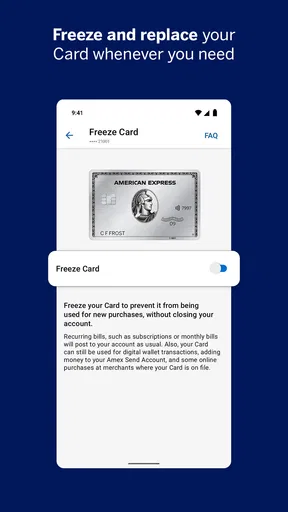
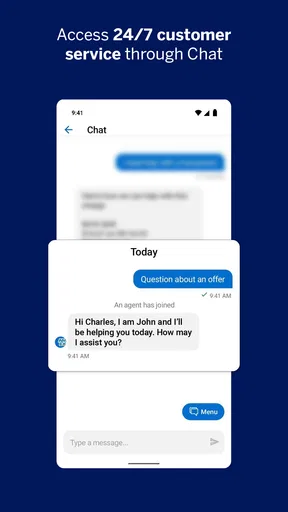
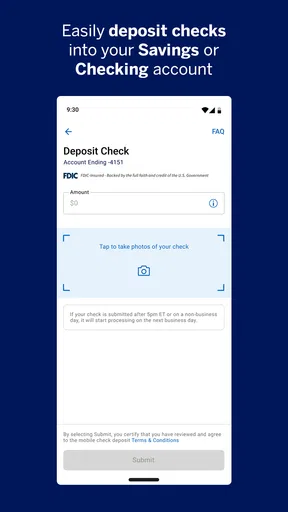
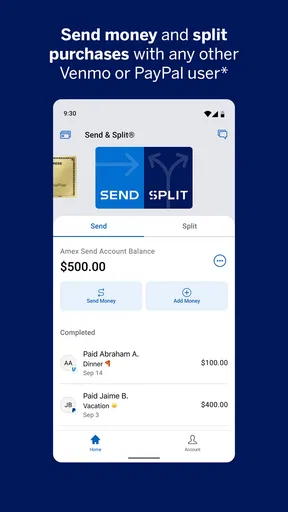
Our Review of Amex
 Analysis by Appyee
Managing an American Express account from a phone is mostly about reducing small moments of friction: checking whether a payment posted, confirming a balance before a purchase, or using rewards without opening a desktop browser. I spent time with Amex as a finance app from American Express, and my overall impression is that it works best as a focused companion for people who already use an American Express account regularly.
The app is free, aimed at Everyone, and has been available since December 2, 2010. Its current version is 7.32.2, and its strong 4.8 average from around 100 thousand ratings helps explain why it feels established rather than experimental. More than 10 million installs also make it clear that this is not a niche account tool. Still, popularity does not make every part of the experience ideal, so I paid attention to the everyday workflow, the settings I would actually check, and the points where a mobile banking app may be a better fit.
How the everyday Amex workflow feels
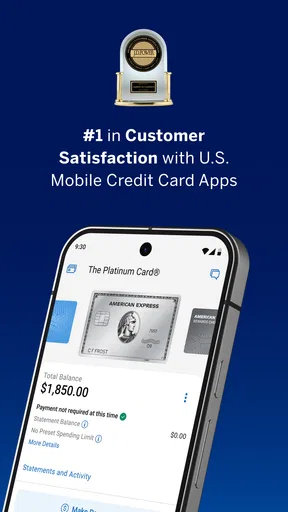
The main strength is concentration. Instead of jumping between a card issuer’s website, a rewards page, and a payment screen, I can handle the routine account tasks in one place. The app is built around secure account access, balance checking, payments, rewards redemption, and related account management. That makes it particularly useful when I want a quick answer rather than a long financial session.
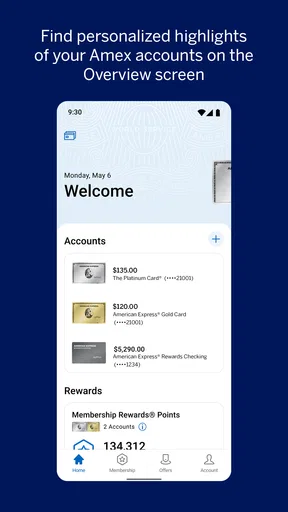
My normal starting point is the account overview. I check the current balance, look at recent activity, and then decide whether I need to make a payment or simply leave the account alone. This order matters because it prevents a common mistake: paying based on an old figure while a recent transaction is still pending or has not yet appeared as expected. I found the app more useful when I treated it as a daily visibility tool, not just a place to press the payment button.
A realistic example is a busy weekday lunch. I am about to use my card for a larger purchase, but I want to know how much room remains in my spending plan. Opening the app gives me a faster check than signing in through a browser. Afterward, I can review the new activity later and see whether the transaction has moved into the account history. That simple habit helps separate “what I just spent” from “what has fully settled,” which is more useful than looking only at a headline balance.
Payments are another reason to keep the app installed. I prefer making a payment after reviewing the account rather than treating payment as an isolated action. The sequence gives me a chance to notice an unfamiliar transaction before sending money, and it also helps me avoid paying the wrong amount by mistake. The app does not replace good account habits, but it makes those habits easier to repeat.
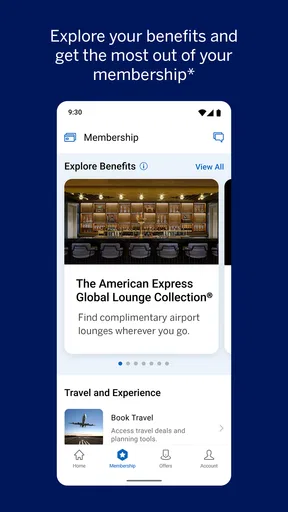
Rewards are integrated into the same general experience, which is convenient for cardholders who actively use them. I like being able to check the rewards area when I am already reviewing the account instead of postponing the decision until I forget about it. The practical benefit is not simply access; it is timing. If I make rewards review part of my regular account check, I am less likely to let the feature become something I never use.
That said, this is not a complete replacement for every financial app. It is centered on American Express account management, not on bringing all bank accounts, cards, budgets, investments, and bills into one dashboard. If your main goal is a full household budget, a dedicated budgeting service may give you a broader view. If you mainly need to monitor an American Express relationship, however, the narrower focus is an advantage because the important actions are not buried under unrelated financial tools.
The first setup decisions worth making
When I first use a card app, I want to know how much control I have over the way information is presented and how much effort future visits will require. With Amex, the most valuable setup work is not glamorous. It is deciding how often I will check activity, where I prefer to make payments, and how I will use the rewards section. A few minutes of planning can turn the app from an emergency tool into a repeatable routine.
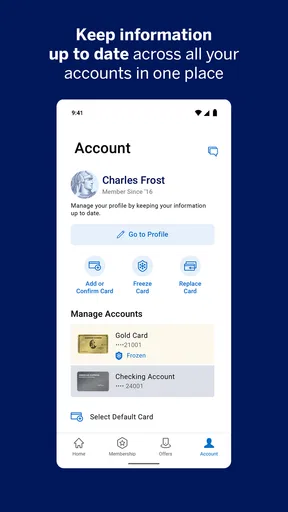
I would also make sure the account details shown in the app match the account I intend to manage before doing anything important. This sounds obvious, but it is especially relevant when someone has more than one American Express product or shares financial responsibilities with another person. A quick confirmation of the account context is a better habit than assuming the first screen always represents the card I had in mind.
Security should remain part of the routine. Because this is a finance app, I would avoid treating a signed-in phone like a public device, and I would be careful when reviewing or initiating payments on an unfamiliar network. The app’s purpose is secure account access, but secure behavior still depends on the person using it. I would also keep the application updated rather than ignoring available version changes, especially because the current release is 7.32.2.
Notifications and phone-level permissions deserve a practical review rather than an automatic yes or no. I want useful account awareness, but I do not want every alert to become background noise. The right choice depends on how closely I monitor the account elsewhere. Someone who checks the app often may prefer fewer interruptions, while someone who rarely signs in may benefit from more timely reminders. I would adjust these choices around my own payment calendar instead of copying another user’s setup.
One setting-related limitation is that the app cannot solve every organizational problem by itself. If I want a detailed month-by-month spending plan, custom household categories, or a combined view of several institutions, I still need another method. I would use Amex for issuer-specific truth and a broader finance tool for the bigger picture. Trying to force one specialized app to perform both jobs usually creates more confusion, not less.
Shorter patterns for repeat users
The fastest way to use Amex is to give each visit a purpose. I would not open it without knowing whether I am checking activity, paying, reviewing rewards, or verifying a detail. That small change keeps the session focused and reduces the temptation to scroll through the account without deciding what action is needed.
For a regular account check, my preferred pattern is activity first, balance second, action third. I look for anything unexpected, confirm the amount I am working with, and only then decide whether to pay or leave the account unchanged. This is more reliable than opening directly on the payment task every time. It also gives me a chance to notice a transaction that needs attention before it becomes part of a rushed payment decision.
For rewards, I would use a separate recurring moment rather than checking randomly. The point is to compare the available redemption choices with what I actually want, not to redeem simply because the option is visible. If I am saving rewards for a particular purpose, I can review the section during my normal account routine and wait until the choice makes sense. This is a small but useful distinction between having access to rewards and using them thoughtfully.
Another efficient habit is to review after unusual spending. A large purchase, travel booking, subscription renewal, or busy shopping day is a good reason to open the app later and confirm that the activity looks right. I do not need to stare at the account constantly, but I do want a deliberate check after events that are more likely to produce multiple transactions or confusing amounts.
I also prefer separating “information visits” from “action visits.” If I only need to see whether a charge appeared, I do not automatically start a payment. If I intend to pay, I first review the account and then complete the payment as its own step. This separation reduces accidental actions and makes it easier to remember what I actually did during the session.
People who share financial planning with a partner can use the app as a source of account facts while keeping budgeting discussions elsewhere. For example, one person can confirm the current card activity, while both people use their preferred household system to decide how that spending fits into the month. The app is useful in that conversation because it provides issuer-level details, but it is not designed to replace the conversation or the broader plan.
Where the app is strong, and where it stops
Amex is strongest for an American Express cardholder who wants a direct mobile route to the account. The developer’s long presence in the finance space is reflected in the app’s mature purpose: account access, payments, activity, and rewards are all more relevant here than decorative extras. I would recommend it to someone who wants a dependable issuer-specific tool and does not need a complicated financial command center.
The app is less suitable for someone who does not have an American Express account or who wants to compare several banks in one place. It is also not my first choice for detailed expense analysis. A general banking app may be better when most of your money is held at one bank, while a budgeting app may be better when categorizing spending across multiple cards and accounts is the priority.
There is also a difference between mobile convenience and complete financial context. Amex can help me see and manage the American Express side of my finances, but it cannot tell me whether that spending fits my rent, savings goals, debit account, or other credit obligations unless I bring that context myself. The app makes issuer tasks easier; it does not make financial decisions for me.
Rewards can create a similar trade-off. Having redemption access close to the account is convenient, but convenience can encourage impulsive choices. I would compare the available option with my actual goal and avoid assuming that the easiest redemption is automatically the most useful one. The app gives me the doorway; I still need to decide whether walking through it is worthwhile.
Another limitation is that a phone interface can make complex account review feel deceptively simple. A quick glance is excellent for routine checks, but if I am investigating several transactions or trying to understand a longer spending pattern, a larger screen or exported personal record may be more comfortable. I would use the app for speed and immediate control, then switch tools when the question becomes analytical.
The Everyone age rating makes the app broadly accessible from a content perspective, but that should not be confused with financial independence. A younger user may be able to interact with the application while still needing an appropriate account relationship and responsible guidance. The rating describes the app’s audience suitability, not whether every financial decision is suitable for every person.
My verdict after building a routine around it
After using Amex as a regular account companion, I see its value in the small repeated actions that are easy to postpone: checking recent activity, confirming a balance, making a payment after reviewing the account, and keeping rewards visible. Those tasks feel more manageable when they are available from a focused finance app instead of being tied to a desktop visit.
The app’s scale supports that impression. It is free, has passed the 10-million-install mark, and holds a 4.8 average from roughly 100 thousand ratings, with around 15 thousand written reviews. Those figures suggest broad adoption and strong satisfaction, although I would still judge it by whether its focused design matches my own financial setup rather than by popularity alone.
My recommendation is straightforward: if American Express is central to your spending, install it and build a simple repeatable routine around it. Check activity before payments, review rewards with a purpose, and use unusual purchases as prompts for an extra account check. Those habits make the app more valuable than simply opening it when something goes wrong.
I would skip it as a primary finance tool if I need one dashboard for multiple institutions, deep budgeting controls, or detailed long-term analysis. In that situation, a broader banking or budgeting alternative will probably serve me better, with Amex kept as the issuer-specific companion. The best use of this app is not trying to make it do everything; it is using it consistently for the American Express tasks it handles directly.
For the right user, that focus is exactly why I would recommend it to a friend. It is free, familiar, and practical, with the most useful features placed around the moments when cardholders actually need them. I would not call it a complete financial planner, but as a mobile way to stay close to an American Express account, it earns a place on my phone.
Privacy and Permissions
See what permissions an app requests and how it handles your data.
- Contacts
- read your contacts
- Location
- approximate location (network-based), precise location (GPS and network-based)
- Phone
- directly call phone numbers, read phone status and identity
- Camera
- take pictures and videos
- Wi-Fi connection information
- view Wi-Fi connections
- Device ID & call information
- read phone status and identity
- Other
- view network connections, full network access, control Near Field Communication, run at startup, control vibration, prevent device from sleeping
Verdict
Strengths of Amex
- Clear transaction history and spending summaries
- Useful card controls for travel and purchase security
- Easy access to Membership Rewards information
- Reliable support options within the app
- Supports biometric login on compatible devices
Limitations of Amex
- Some features require an eligible American Express card
- Rewards details can vary by card and country
- Certain services may redirect you to a web browser
- App performance can depend on your device and connection
- Not all cards support every in-app management feature
Other Releases by American Express
View All
Amex Travel
Travel & Local4.9
Similar Picks in This Category
View All
Google Wallet
Google LLC4.3

Airtel: Recharge, Bank & Loans
Airtel4.0

PayPal - Pay, Send, Save
PayPal Mobile4.2

DANA Indonesia Digital Wallet
PT Espay Debit Indonesia Koe4.5

Binance: Buy Bitcoin & Crypto
Binance Inc.4.8

Cash App
Block, Inc.4.7
Frequently Asked Questions
What is the Amex app used for?
The Amex app is the mobile companion for American Express cardmembers. After signing in, you can review recent and pending transactions, check your available credit, view statements, make payments, manage eligible rewards, and receive account notifications. Depending on your card and country, the app may also provide travel services, merchant offers, digital wallet options, and tools for managing additional cards.
Is the Amex app free to download and use?
Yes, the Amex app is generally free to download from the official Google Play Store or Apple App Store, and American Express typically does not charge a separate fee simply for using the application. However, normal card terms still apply, including possible annual fees, interest, foreign transaction charges, or other account costs. Mobile data and carrier charges may also apply.
Can I make payments and manage my account through the Amex app?
In most supported markets, the app allows eligible cardmembers to make payments from a linked bank account, schedule payments, review payment history, and monitor their statement balance. You can also manage alerts, update certain personal details, and review account activity. Available options vary by card type and country, so some features may not appear for every user.
Is the Amex app secure for checking card information?
The Amex app includes security features designed to protect account access, such as encrypted connections, login verification, biometric authentication on compatible devices, and alerts for suspicious activity. Even so, users should install the app only from an official store, keep their operating system updated, avoid public or unsecured networks when possible, and never share passwords or one-time verification codes with anyone.
What should I do if I cannot log in or my Amex card is not supported?
If login fails, first confirm that your credentials are correct, your internet connection is working, and the app is updated. You can use the official password-reset or account-recovery options, and contact American Express through its verified support channels if the problem continues. Card availability, supported countries, and app features differ, so not every Amex product can be managed in the same way.
